Structure and seqauence prediction
Structure prediction
Molchanica has integrated structure prediction for proteins, small molecules, DNA, RNA, and ions. It can use AlphaFold3, Boltz-2, Chai-1, OpenDDE, and ESMFold 2.
It can install these tools quickly using the GUI. Either click the Tools button, find or search for the program you wish to use, and click "Install", or install it directly from the Structure Pred window.
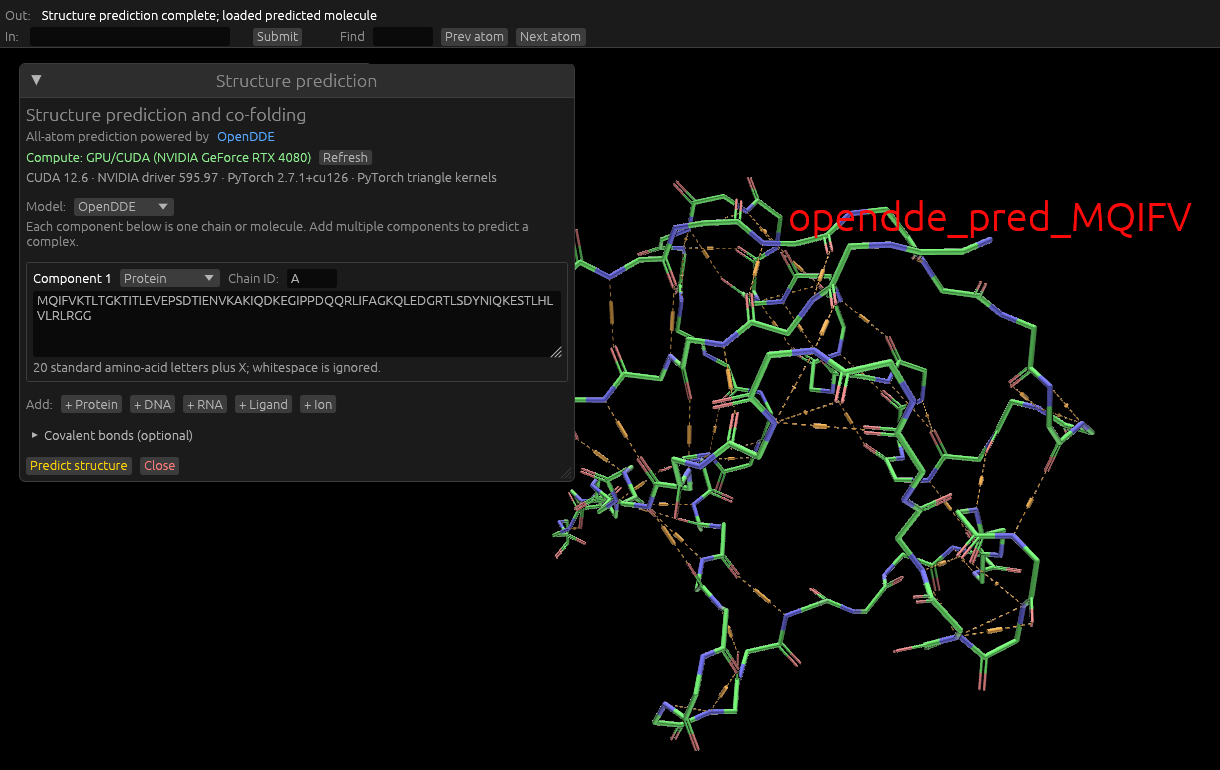
To use this, click the Structure prediction button in the UI. In the window that opens, select the model, enter your amino acid sequence using single-letter identifiers, or your DNA sequence using "A", "C", "T", and "G" characters. (Neither are case-sensitive.)
Set other model-specific options as required.
Click "Predict" to begin. The window will display cumulative run time, and update you on progress.
OpenDDE (And ML-based structure prediction in general) runs much faster with a GPU (I believe an Nvidia GPU only) is connected, and its drivers are installed and reasonably up to date. When installing OpenDDE manually, the method of installation determines whether it will work with GPU or not. If using the install script, it will detect if you have Nvidia drivers installed, and choose GPU if so; CPU if not.
Prediction may take minutes or hours depending on the size of the input sequence, your computer's capability, and other factors.
Sequence prediction
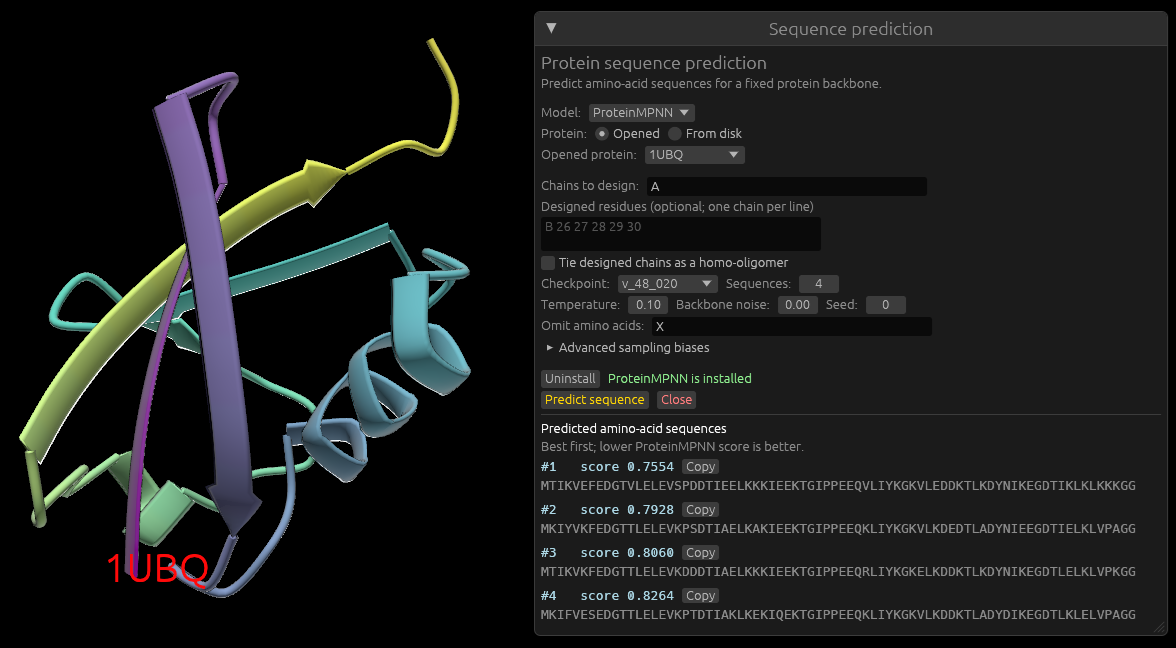
The opposite behavior of predicting a protein's sequence from its structure is available using ProteinMPNN. Click the Seq Pred button to enable this. Select an opened protein, or pick one from an mmCIF file on the file system. Adjust settings as required, and click Predict to estimate the amino acid sequence.